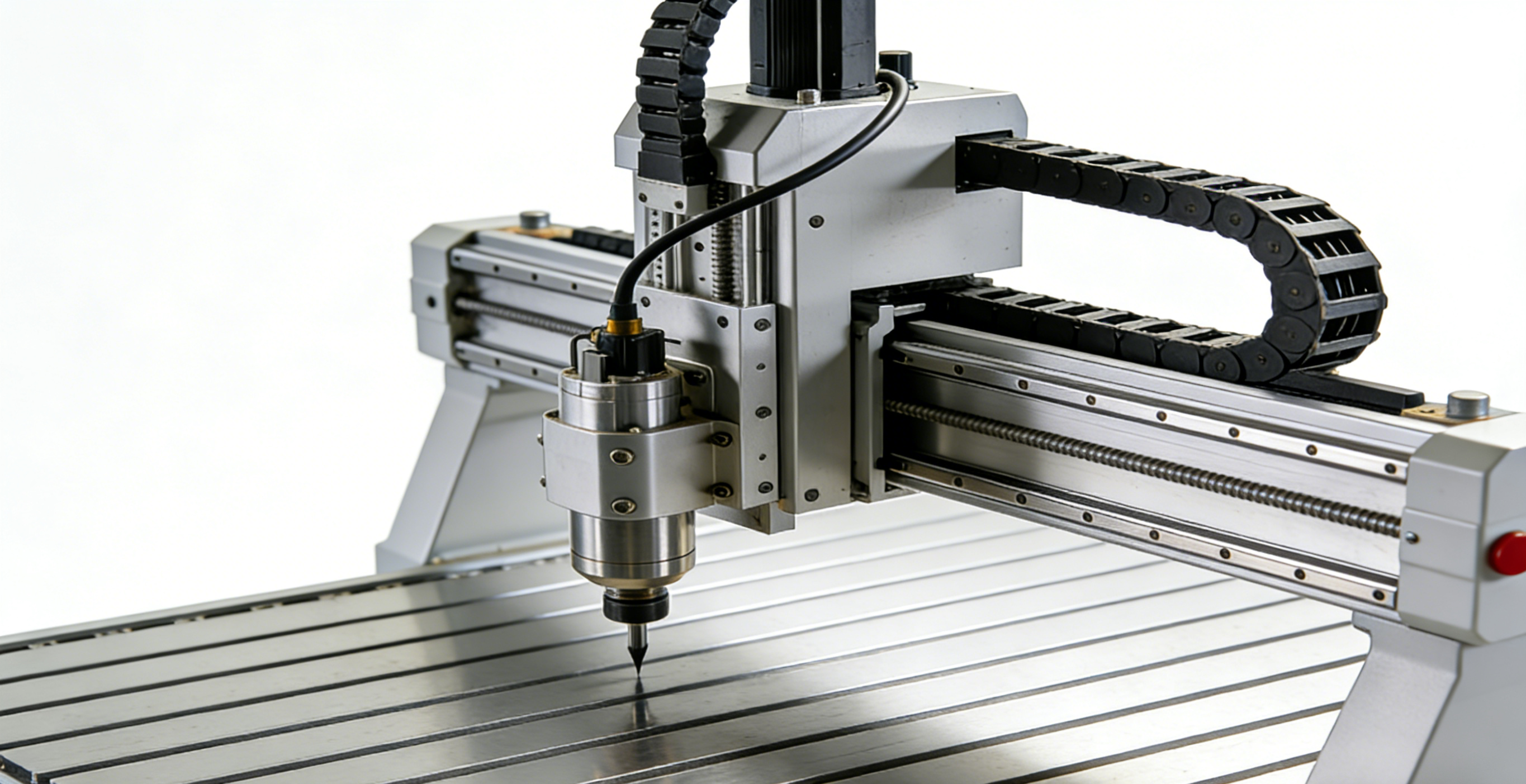
Why Understanding CNC Router Problems Matters
If you work with a CNC router machine long enough, you’ll realize one simple truth: no machine is perfect. Even the most advanced CNC router, packed with cutting-edge technology and premium components, will eventually face problems. The real difference between smooth production and constant frustration lies in how well you understand those problems—and how quickly you act on them.
CNC routers are the backbone of many industries today. From woodworking shops and sign-making businesses to aluminum fabrication and plastic manufacturing, these machines handle complex tasks with incredible speed and accuracy. But when something goes wrong, productivity can come to a screeching halt. Missed deadlines, wasted material, broken tools, and unhappy customers are often the result of issues that could have been avoided with basic awareness.
Many operators assume CNC problems only happen because of machine defects. In reality, most issues stem from a mix of poor maintenance, incorrect settings, software mistakes, and simple human error. Ignoring early warning signs is like hearing a strange noise in your car and turning up the radio—it might work for a while, but the damage is quietly getting worse.
This article breaks down the common 9 problems for CNC router machine users that you absolutely need to know. Not just the obvious ones, but the sneaky issues that slowly eat away at accuracy, quality, and machine life. Whether you’re a beginner learning the ropes or a seasoned operator managing daily production, understanding these problems will save you time, money, and stress.
Let’s dive in and talk about what really happens behind the scenes when a CNC router starts acting up—and how these problems impact your workflow more than you might expect.
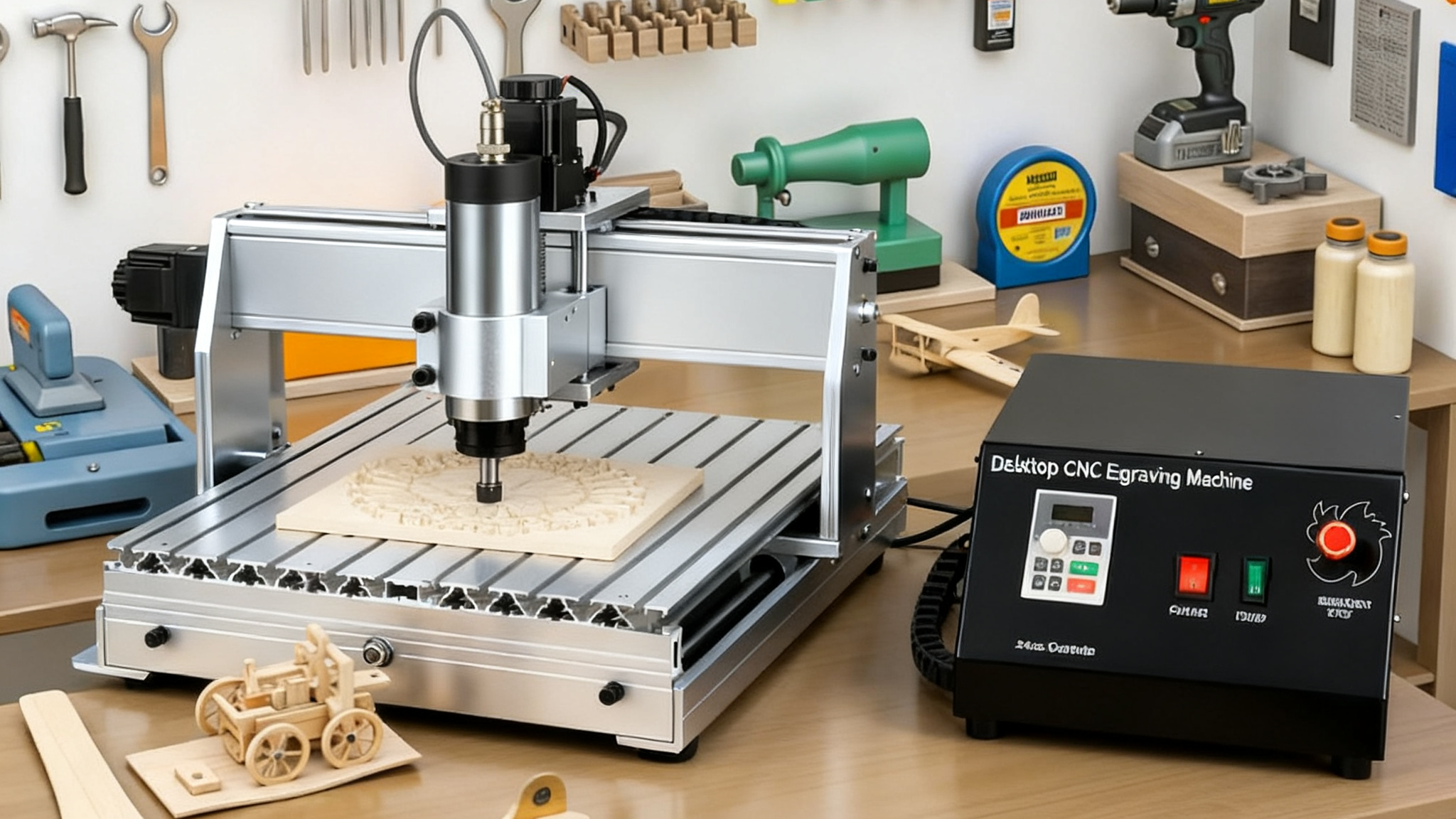
How CNC Router Machines Work (Quick Refresher)
Before jumping into the problems, it helps to understand how a CNC router actually works. Think of a CNC router like a highly disciplined worker that only does exactly what it’s told—nothing more, nothing less. It relies entirely on instructions, settings, and physical components working together in perfect harmony.
At its core, a CNC router reads digital instructions (usually G-code) created by CAD/CAM software. These instructions tell the machine where to move, how fast to cut, how deep to go, and when to stop. Motors drive the movement along the X, Y, and Z axes, while the spindle rotates the cutting tool at high speeds to shape the material.
Key Components of a CNC Router
A CNC router is made up of several critical parts, and problems in any one of them can ripple across the entire system:
Spindle: The heart of the machine that holds and spins the cutting tool.
Drive system: Stepper or servo motors, ball screws, or rack-and-pinion systems that control movement.
Controller: The brain that translates code into motion.
Frame and gantry: The structural backbone that ensures rigidity and accuracy.
Software: CAD for design, CAM for toolpaths, and controller software for execution.
Each component depends on the others. If one part underperforms—even slightly—the final result suffers.
The Role of Software, Hardware, and Operator Skill
One of the biggest misconceptions is that CNC machines eliminate human error. In reality, operator skill is just as important as machine quality. Incorrect feeds and speeds, poor tool selection, or sloppy maintenance habits can turn a powerful CNC router into a problem magnet.
Software errors can cause crashes, hardware wear can reduce accuracy, and operator mistakes can multiply both issues. Understanding this balance sets the stage for recognizing why the following nine problems occur so frequently.
Problem 1: Loss of Accuracy and Precision
Loss of accuracy is one of the most common—and most frustrating—problems CNC router operators face. At first, it might be subtle. A hole doesn’t line up perfectly. A joint feels slightly off. But over time, these small errors add up, turning precision machining into guesswork.
Accuracy issues usually don’t appear overnight. They creep in slowly, making them easy to ignore until the damage is already done. And by then, you’re dealing with rejected parts, rework, and wasted materials.
Signs of Accuracy Issues
Some clear warning signs that your CNC router is losing accuracy include:
l Parts no longer matching design dimensions
l Inconsistent cuts across the same job
l Misaligned joints or uneven edges
l Repeat jobs producing different results each time
l If your machine was once reliable but now feels unpredictable, accuracy loss is likely the culprit.
Common Causes Behind Precision Loss
Several factors can cause a CNC router to lose accuracy:
Mechanical wear: Ball screws, bearings, and linear guides wear down over time.
Loose components: Bolts, couplings, and mounts can loosen due to vibration.
Backlash: Gaps in drive components cause delayed movement.
Thermal expansion: Heat from long runs can slightly distort components.
Improper calibration: Skipping regular calibration throws off positioning.
What makes this problem tricky is that it often isn’t caused by a single issue. Instead, it’s a combination of small mechanical and operational factors working together.
Long-Term Impact on Production Quality
Ignoring accuracy problems is expensive. Inconsistent dimensions lead to poor-fitting parts, increased scrap rates, and frustrated customers. Over time, operators may start “compensating” manually—adjusting designs or settings to match the machine’s flaws. This creates a dangerous cycle where the machine’s condition worsens while the process becomes less reliable.
Accuracy isn’t just about perfection—it’s about consistency. And once a CNC router loses that, every job becomes a gamble.
Problem 2: Spindle Overheating
Spindle overheating is another common issue that CNC router users often underestimate. The spindle is designed to run at high speeds for extended periods, but that doesn’t mean it’s invincible. Excessive heat is a silent killer that can shorten spindle life dramatically.
Many operators don’t notice overheating until it’s too late. By the time you smell something odd or hear unusual noises, internal damage may already be happening.
What Spindle Overheating Looks Like
Spindle overheating can show up in several ways:
l Unusual burning smells during operation
l Increased noise or vibration
l Sudden loss of cutting power
l Automatic shutdowns or alarms
l Hot-to-the-touch spindle housing
These symptoms are often brushed off as “normal,” especially during heavy cutting. But consistent overheating is never normal.
Why Spindle Temperature Matters
Heat affects everything inside the spindle—bearings, lubrication, and motor windings. When temperatures rise too high:
l Bearings wear out faster
l Lubrication breaks down
l Runout increases, reducing accuracy
l Tool life decreases significantly
Air-cooled spindles are especially vulnerable in dusty environments, while water-cooled spindles can overheat due to poor coolant flow or clogged lines.
Consequences of Ignoring Overheating
Ignoring spindle overheating is like driving a car with no coolant. The machine may keep running for a while, but the damage is inevitable. Spindle replacement is expensive and often leads to long downtime. In many cases, overheating also affects surface finish and tool performance, creating additional quality issues before total failure occurs.
Problem 3: Tool Breakage and Excessive Tool Wear
Tool breakage is one of those problems that feels sudden and dramatic—but the causes usually build up quietly over time. One moment everything is running smoothly, and the next you hear that sharp snap that every CNC operator dreads.
Excessive tool wear is just as damaging, even if it’s less dramatic. Dull tools silently ruin surface finish, overload the spindle, and reduce accuracy.
Common Symptoms of Tool Failure
You might be dealing with tool issues if you notice:
l Frequent tool snapping
l Burn marks on material edges
l Rough or fuzzy surface finishes
l Increased cutting noise
l Higher spindle load than usual
These symptoms are often misdiagnosed as machine problems when the real issue lies with the cutting tool.
Why Tools Wear Out Faster Than Expected
Several factors contribute to rapid tool wear:
l Incorrect feed and speed settings
l Poor-quality or wrong tool material
l Cutting material not suited for the tool
l Excessive depth of cut
l Lack of proper chip evacuation
Even a high-end CNC router can’t compensate for bad cutting parameters. Tools are consumables, but premature failure is a sign something is wrong.
Cost and Downtime Implications
Broken tools don’t just cost money—they cost time. Every tool change interrupts production, and broken tools can damage workpieces or even the machine itself. Over time, frequent tool issues erode efficiency and increase operating costs, making jobs less profitable than they should be.
Problem 4: Vibration and Chatter During Cutting
Vibration and chatter are among the most irritating CNC router problems because they affect everything at once—noise levels, surface finish, tool life, and even machine longevity. If your CNC router starts sounding like it’s shaking itself apart, that’s not just an annoyance; it’s a warning sign.
Chatter is essentially uncontrolled vibration between the cutting tool, material, and machine structure. It’s the machining equivalent of driving a car on a badly balanced wheel. You might still reach your destination, but the ride is rough, and long-term damage is guaranteed.
How to Identify Vibration Problems
Some common indicators of vibration and chatter include:
l Loud, high-pitched squealing or rattling sounds
l Wavy or rippled surface finishes
l Visible vibration of the spindle or gantry
l Tools loosening during operation
l Premature wear on bearings and cutting tools
Chatter often comes and goes, which makes it tempting to ignore. But even intermittent vibration is harmful.
Machine vs. Material-Related Causes
Vibration problems usually come from one or more of these sources:
Machine rigidity issues: A weak frame, loose bolts, or worn linear guides
Tool problems: Too long tool stick-out or dull cutting edges
Improper feeds and speeds: Too aggressive or too conservative settings
Material characteristics: Hard knots in wood, thin aluminum sheets, or flexible plastics
Workholding issues: Poor clamping allows material to move during cutting
In many cases, the problem isn’t just one thing. A slightly loose gantry combined with aggressive cutting parameters can quickly turn a stable cut into a vibrating mess.
Effects on Surface Finish
Chatter destroys surface quality. Instead of clean, smooth cuts, you get visible lines, waves, or rough textures that require sanding or re-machining. Over time, vibration also loosens machine components, making accuracy problems even worse. It’s a domino effect—one issue triggering several others.
Problem 5: Software Errors and Program Crashes
CNC router machines rely heavily on software, and when software fails, production stops instantly. Unlike mechanical problems that build up gradually, software errors tend to hit without warning. One minute the machine is running perfectly, and the next it’s frozen, miscutting, or completely unresponsive.
Software-related problems are especially frustrating because they often feel invisible. There’s no broken part to point at—just a screen full of error messages.
Common CNC Software Issues
Some of the most frequent software-related problems include:
l Program crashes mid-job
l Corrupted or incomplete G-code
l Communication errors between controller and computer
l Incorrect toolpaths
l Software freezing or lagging
Even minor glitches can cause major issues, such as cutting in the wrong location or plunging too deep into material.
Post-Processor and G-Code Problems
One of the biggest culprits behind software errors is the post-processor. If the post-processor doesn’t match your CNC router’s controller perfectly, the machine may misinterpret commands. This can lead to:
l Unexpected movements
l Ignored safety limits
l Incorrect spindle speeds
l Axis overtravel
Operators often assume the machine is at fault, when in reality, the problem started in the CAM software.
Productivity Loss Due to Software Failures
Every software crash costs time. Jobs must be restarted, material may be scrapped, and operators lose confidence in the system. Over time, frequent software issues slow down workflow and increase stress on the shop floor. A CNC router is only as reliable as the software driving it.
Problem 6: Electrical and Wiring Issues
Electrical problems are some of the most dangerous CNC router issues—not just for the machine, but for the operator as well. Loose wires, failing components, or poor grounding can cause erratic behavior that’s hard to diagnose and risky to ignore.
Unlike mechanical wear, electrical issues don’t always follow predictable patterns. They can appear randomly, disappear, and then come back worse than before.
Warning Signs of Electrical Problems
Common symptoms of electrical issues include:
l Sudden machine shutdowns
l Axis losing position mid-job
l Spindle stopping unexpectedly
l Tripped breakers or blown fuses
l Error alarms with no clear cause
If your CNC router behaves unpredictably, electrical problems should be high on your troubleshooting list.
How Wiring Affects Machine Stability
CNC routers rely on clean, stable electrical signals. Problems often arise from:
l Loose or damaged cables
l Poor grounding
l Electrical noise from nearby equipment
l Worn connectors
l Moisture or dust contamination in control cabinets
Even something as simple as a loose terminal can cause intermittent faults that ruin precision and reliability.
Safety Risks Involved
Electrical problems aren’t just inconvenient—they’re dangerous. Short circuits, overheating wires, and exposed connections can lead to fires or electric shocks. Regular inspection of wiring and electrical components isn’t optional; it’s essential for both safety and machine performance.
Problem 7: Poor Surface Finish
Poor surface finish is one of the most visible CNC router problems, and it’s often the reason customers complain. Even if dimensions are accurate, a rough or uneven finish can make a part look cheap and unprofessional.
Surface finish issues are especially frustrating because they can stem from many different causes, making them harder to diagnose.
What Defines a Poor Finish
Poor surface finish can appear as:
l Tear-out in wood
l Visible tool marks
l Fuzzy or rough edges
l Burn marks
l Inconsistent texture across the part
These defects may not affect function, but they absolutely affect perception—and perception matters in business.
Machine Settings That Impact Finish Quality
Several factors directly influence surface finish:
l Feed rate and spindle speed mismatch
l Dull or incorrect cutting tools
l Vibration and chatter
l Improper step-over settings
l Machine rigidity issues
Often, operators try to fix surface issues by slowing the machine down. While this sometimes helps, it doesn’t address the root cause and reduces productivity.
Customer Satisfaction and Rework Costs
Poor surface finish leads to sanding, refinishing, or complete rework—all of which cost time and money. In competitive markets, surface quality can be the difference between winning repeat business and losing a customer permanently.
Problem 8: Dust Collection and Chip Removal Problems
Dust collection is one of the most overlooked aspects of CNC router operation, yet it affects nearly every part of the process. Chips and dust may seem harmless, but when they accumulate, they create serious problems for both machines and operators.
A CNC router generates massive amounts of debris, especially when cutting wood, MDF, or plastics. Without proper removal, that debris goes everywhere.
Why Dust Control Is Often Overlooked
Many shops treat dust collection as an afterthought because:
l It doesn’t directly affect cutting accuracy—at first
l Systems are expensive to install
l Problems develop slowly over time
Unfortunately, by the time dust becomes an obvious issue, damage is often already done.
Effects on Machine Health
Poor chip removal leads to:
l Clogged linear rails and bearings
l Overheating spindles
l Electrical cabinet contamination
l Reduced visibility during cutting
Dust acts like sandpaper inside the machine, accelerating wear on critical components.
Operator Health Concerns
Beyond machine damage, dust poses serious health risks. Fine particles can cause respiratory issues, allergic reactions, and long-term health problems. A clean CNC environment isn’t just about machine longevity—it’s about protecting the people who work around it every day.
Problem 9: Machine Calibration and Alignment Issues
Calibration and alignment problems are silent productivity killers. A CNC router can look perfectly fine on the outside while being completely out of alignment internally. When that happens, accuracy, repeatability, and surface finish all suffer.
Calibration issues often arise gradually, making them easy to ignore until production quality drops significantly.
How Calibration Problems Develop
Common causes include:
l Mechanical wear over time
l Machine relocation
l Heavy crashes or tool collisions
l Temperature changes
l Skipped maintenance schedules
Even minor misalignment can translate into major dimensional errors over large workpieces.
Signs Your CNC Router Is Out of Alignment
Watch out for:
l Square parts turning out slightly trapezoidal
l Inconsistent depth across the table
l Problems squaring joints
l Repeatability errors
These signs indicate it’s time for a full calibration check.
Why Regular Calibration Is Non-Negotiable
Calibration ensures your CNC router does exactly what the software tells it to do—no more, no less. Skipping it might save time today, but it costs far more in scrap, rework, and frustration down the line.
Preventive Maintenance Tips for CNC Router Machines
Preventive maintenance is the simplest way to avoid most CNC router problems. Think of it as routine exercise for your machine—it keeps everything running smoothly and catches issues before they become disasters.
Daily, Weekly, and Monthly Maintenance Checklist
Daily tasks:
l Clean the machine bed and rails
l Check tool condition
l Inspect dust collection
Weekly tasks:
l Lubricate moving parts
l Check bolts and fasteners
l Inspect wiring and hoses
Monthly tasks:
l Verify machine calibration
l Check spindle runout
l Inspect electrical cabinet
l Small habits create big reliability.
Best Practices to Reduce CNC Router Problems
Beyond maintenance, smart operating habits make a huge difference.
Operator Training
Well-trained operators:
l Choose correct feeds and speeds
l Spot early warning signs
l Handle software properly
l Respect machine limits
Training pays for itself faster than almost any upgrade.
Smart Machine Usage Habits
Avoid pushing the machine beyond its design limits. A CNC router isn’t indestructible—it rewards careful use with long life and consistent performance.
Conclusion: Turning CNC Router Problems Into Opportunities
CNC router problems are unavoidable, but constant breakdowns are not. The nine issues discussed here—accuracy loss, overheating, tool failure, vibration, software errors, electrical faults, poor surface finish, dust problems, and calibration issues—account for the majority of CNC headaches in real-world shops.
The good news? Most of these problems are preventable. With awareness, proper maintenance, and smart operating practices, your CNC router can remain a reliable, productive asset instead of a source of frustration. Problems don’t have to stop production—they can guide you toward better processes, better habits, and better results.


 English
 简体中文
简体中文 繁體中文
繁體中文 العربية
 Français
 Русский
 Español
 Português
 Deutsch
 italiano
 日本語
日本語 한국어
한국어 Nederlands
 Tiếng Việt
 ไทย
ไทย Polski
 Türkçe
 አማርኛ
አማርኛ ພາສາລາວ
 ភាសាខ្មែរ
 Bahasa Melayu
 ဗမာစာ
ဗမာစာ தமிழ்
தமிழ் Filipino
 Bahasa Indonesia
 magyar
 Română
 Čeština
 Монгол
 қазақ
қазақ Српски
 हिन्दी
 فارسی
فارسی Kiswahili
 Slovenčina
 Slovenščina
 Norsk
Norsk Svenska
 українська
 Ελληνικά
 Suomi
Suomi Հայերեն
 עברית
עברית Latine
 Dansk
Dansk اردو
اردو Shqip
Shqip বাংলা
বাংলা Hrvatski
 Afrikaans
 Gaeilge
 Eesti keel
 Māori
Māori සිංහල
සිංහල नेपाली
 Oʻzbekcha
 latviešu
 অসমীয়া
 Aymara
 Azərbaycan dili
 Bamanankan
 Euskara
 Беларуская мова
 भोजपुरी
 Bosanski
 Български
 Català
 Cebuano
 Corsu
Corsu ދިވެހި
 डोग्रिड ने दी
 Esperanto
 Eʋegbe
 Frysk
Frysk Galego
 ქართული
 guarani
 ગુજરાતી
 Kreyòl ayisyen
 Hausa
Hausa ʻŌlelo Hawaiʻi
 Hmoob
Hmoob íslenska
 Igbo
Igbo Ilocano
 Basa Jawa
 ಕನ್ನಡ
ಕನ್ನಡ Kinyarwanda
 गोंगेन हें नांव
 Krio we dɛn kɔl Krio
 Kurdî
Kurdî Kurdî
Kurdî Кыргызча
 Lingala
 Lietuvių
 Oluganda
 Lëtzebuergesch
 Македонски
 मैथिली
 Malagasy
 മലയാളം
 Malti
Malti मराठी
मराठी ꯃꯦꯇꯥꯏ (ꯃꯅꯤꯄꯨꯔꯤ) ꯴.
 Mizo tawng
 Chichewa
 ଓଡ଼ିଆ
ଓଡ଼ିଆ Afaan Oromoo
 پښتو
پښتو ਪੰਜਾਬੀ
 Runasimi
 Gagana Samoa
 संस्कृत
 Gaelo Albannach
 Sepeti
 Sesotho
 chiShona
 سنڌي
سنڌي Soomaali
 Basa Sunda
 Wikang Tagalog
 Тоҷикӣ
 Татарча
 తెలుగు
 ትግንያውያን
 Xitsonga
 Türkmençe
 संस्कृत
 ئۇيغۇرچە
 Cymraeg
 isiXhosa
 ייִדיש
 Yorùbá
 isiZulu


